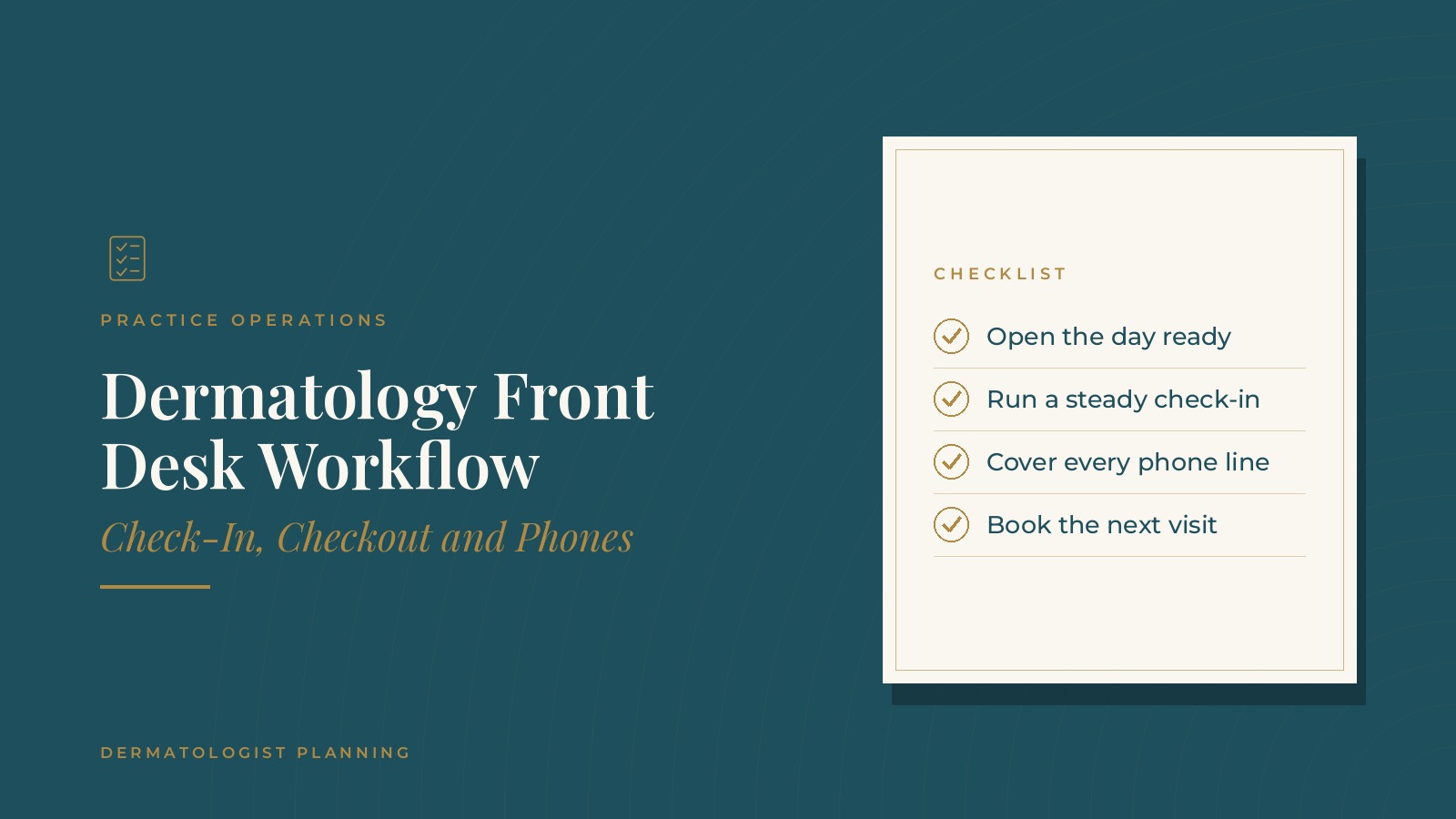
Dermatology Front Desk Workflow | Check-In, Checkout and Phones
A dermatology front desk workflow is the set of routines the front office follows from opening to close: preparing the day, checking patients in, answering phones, checking patients out and handing information to the clinical team. When those routines are written down, the desk runs the same way no matter who is on shift. In short, a dermatology front desk workflow works best when the day starts with a schedule review, check-in follows the same short steps for every visit type, phone coverage is planned by hour, checkout always books the next visit and the desk closes with a brief end-of-day routine. This resource from Dermatologist Planning explains the usual stages of the front desk day, how roles are divided, how handoffs to the clinic work and the questions practices often bring to a practice operations professional.
Key takeaways
- Start each day with a short schedule review.
- Use the same check-in steps for every visit type.
- Plan phone coverage hour by hour.
- Book the next visit at every checkout.
- Close the desk with a short end-of-day routine.
What a dermatology front desk workflow covers
The front desk day in stages
Most front desks move through the same stages each day: opening, check-in, phones and messages, checkout and the daily close. A written workflow describes what happens at each stage and who handles it.
Why dermatology desks are busy
Dermatology schedules often mix short medical follow-ups, full skin exams, procedures and cosmetic consults. That mix means a steady stream of arrivals, so small delays at the desk can affect the whole clinic.
Where it connects to intake
The front desk workflow picks up where scheduling and intake leave off. The guide to dermatology patient intake explains the steps that happen before a patient first arrives.
Opening the day
Review the schedule
Many desks start with a quick look at the day's schedule: new patients, procedures, cosmetic consults, gaps that could be filled and any visits that need extra paperwork.
Prepare the workstations
Opening tasks usually include signing in to the scheduling system and phones, checking voicemail and overnight messages, and making sure check-in tablets or clipboards are ready.
A short huddle
A brief huddle with the clinical lead confirms which providers are in, which rooms are assigned and where the day might run tight. Many practices keep this to five minutes.
Return overnight messages
Callbacks for messages left after hours are often assigned during opening, so they are handled early in the day.
Dermatologist Planning can introduce you to independent practice operations professionals who work with dermatology practices on front desk workflows, phone coverage and check-in and checkout routines. To request an introduction, contact us or call or text (972) 616-4581. You can also read about dermatology practice operations.
A steady check-in routine
The same steps every time
Check-in usually follows a short, consistent sequence: greeting the patient, confirming identity and contact details, reviewing any forms due for that visit type and letting the clinical team know the patient has arrived.
Visit types that need extra steps
New patients, procedure visits and cosmetic consults may have extra forms or preparation. A simple reference card at the desk lists what each visit type needs, so nothing is missed on a busy morning.
Keep the lobby informed
When a provider is running behind, a quick update to waiting patients helps the lobby stay calm. The guide to the dermatology patient experience covers how practices handle wait times and communication.
Discreet conversations
Many desks keep voices low and use a side area for longer conversations, so check-in stays comfortable for everyone in the lobby.
Phones and messages
Plan coverage by hour
Call volume often peaks first thing in the morning, at lunchtime and late in the afternoon. Many practices plan phone coverage around those peaks, so calls are answered while check-in continues.
Separate desk and phone roles when possible
Larger practices often assign one person to phones and another to in-person check-in during busy hours. Smaller desks can rotate roles in set blocks of time.
Simple call scripts
Short scripts for common calls, such as booking a skin check, rescheduling or asking about directions, keep answers consistent.
After-hours coverage
Calls outside office hours are routed to an answering service or voicemail that sets clear callback expectations. The guide to the dermatology answering service covers how that coverage is commonly arranged.
Checkout and the next visit
Book the next visit before the patient leaves
Checkout is the best moment to schedule a follow-up, a procedure or a skin check. Many practices make booking the next visit a standard checkout step.
Hand over the right materials
Checkout staff provide any written materials the provider's team has prepared and confirm how the patient will receive reminders for the next visit.
Keep checkout separate from check-in
A separate checkout window or area, when space allows, keeps departing patients from waiting in the check-in line. The guide to dermatology scheduling explains how follow-up timing is often built into templates.
Handoffs between the desk and the clinic
A clear arrival signal
Whether the practice uses a status column in the scheduling system or a simple board, the clinical team needs to see when each patient is ready. One signal used the same way by everyone avoids confusion.
Messages that need clinical review
Front desk staff route clinical questions to the right nurse or medical assistant instead of answering them. A simple routing list shows who receives each type of message.
Changes during the day
When add-ons, late arrivals or cancellations change the schedule, the desk lets the clinical lead know right away so rooms and staff can be adjusted.
Closing the day and questions to ask
A short end-of-day routine
Closing tasks often include confirming tomorrow's first appointments, checking that messages are assigned, tidying the desk and setting the phones to after-hours mode.
Simple measures
Many practices track average check-in time, call answer times, the share of patients leaving with a next visit booked and the number of unreturned messages at close.
Planning questions
- Is there a written checklist for opening and closing the desk?
- How is phone coverage planned during peak hours?
- What does each visit type need at check-in?
- Is booking the next visit a standard checkout step?
- How are clinical messages routed from the desk?
Frequently asked questions
What is a dermatology front desk workflow?
It is the set of routines the front office follows each day, covering opening, check-in, phones and messages, checkout and the daily close.
How can a dermatology front desk keep check-in quick?
Many practices use the same short check-in steps for every visit and a reference card listing the extra items each visit type needs.
How should phones be covered during busy hours?
Many practices plan coverage around peak call times and, when staffing allows, assign one person to phones and another to in-person check-in.
Why book the next visit at checkout?
Booking a follow-up, procedure or skin check before the patient leaves keeps the next step on the calendar and reduces later phone calls.
What does the front desk do at the end of the day?
Common closing tasks include confirming tomorrow's first appointments, assigning open messages, tidying the desk and switching phones to after-hours mode.
Request an introduction
Dermatologist Planning can introduce you to independent practice operations professionals who work with dermatology practices on front desk workflows, scheduling and patient experience. Learn more about dermatology practice operations, then take the short Dermatologist Planning Business survey and request an introduction. You can also call or text (972) 616-4581, or contact us. The form goes to [email protected].